Get Projects.inkwherever you build.
Track your game from your pocket, your Discord server, or from inside the editor. Install the Android app from Google Play, add the bot to Discord, or add the Unreal Engine plugin and manage tasks without leaving your level.
Projects.ink in your pocket
Check your board, update tasks, and stay on top of deadlines from anywhere. Scan the QR code with your phone's camera or tap the button to open Google Play.
- Your whole board, always in sync
- Works offline — changes catch up later
- Push notifications for what matters

Scan with your phone camera
Unreal Engine
Browse, create, and update your Projects.ink tasks without leaving the editor. One free download on Fab covers every supported engine version.
Supported versions
Using a different UE version?
The plugin supports Unreal Engine 5.7 and newer. Older engine versions are not supported — upgrade your project to a supported version, or reach out and tell us what you're running.
Contact us about your versionUp and running in minutes
Get the plugin on Fab
Open the Fab listing and add Projects.ink to your library — it's free.
Install to your engine
In the Epic Games Launcher, click Install to Engine and pick your UE version, then restart the editor.
Sign in and pick a project
Open the Projects.ink panel from the toolbar or the Window menu, sign in, and choose your project.
Discord
Bring Projects.ink into your Discord server. Ask the AI, check project status, and turn messages into tasks without leaving the conversation.
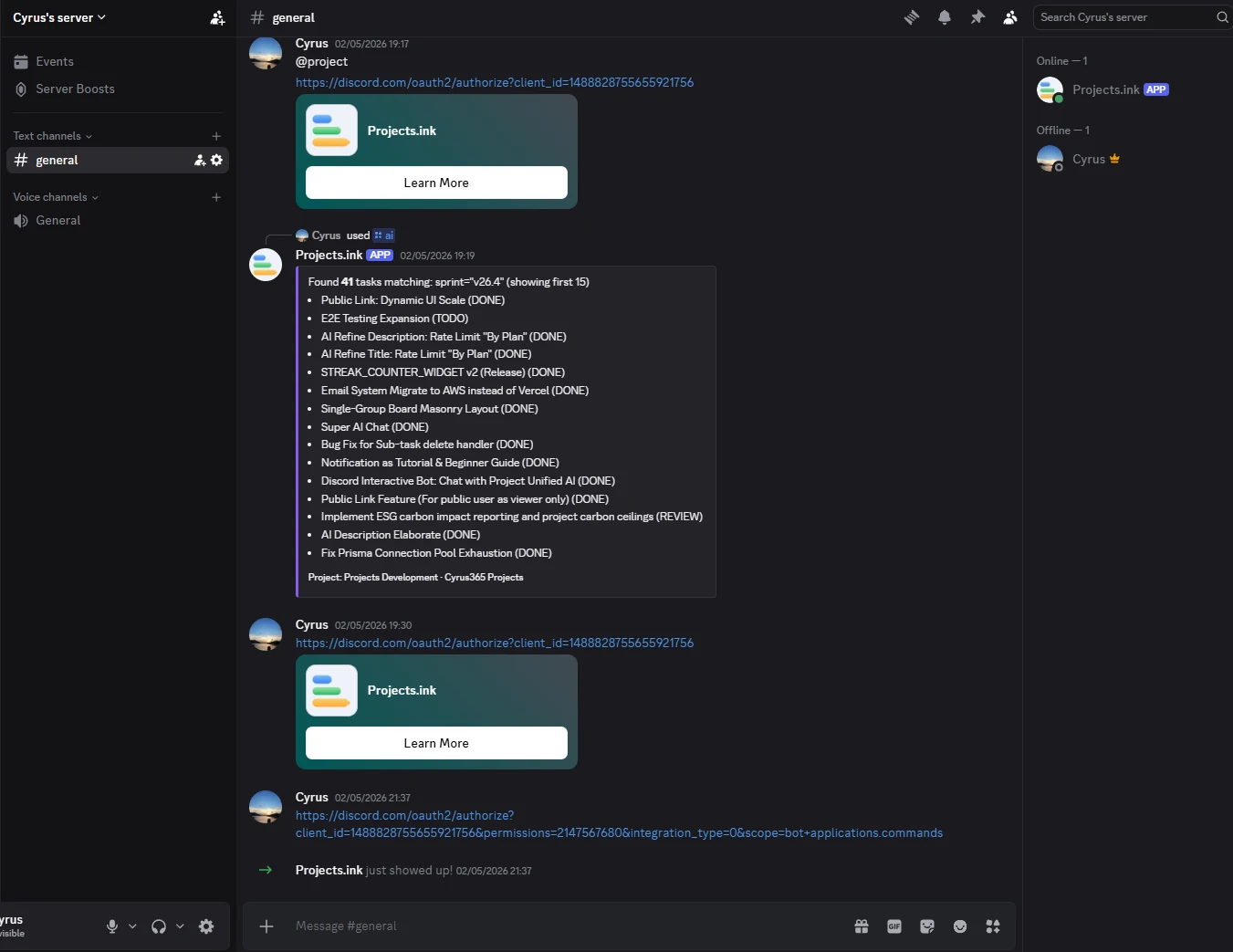
- Slash commands like /ai and /project
- @mention the bot to chat with the AI
- React with 📋 to turn a message into a task
- Project status right in Discord
Set up in five steps
Open the install link
Click Add to Discord above — the Discord authorization page opens.
Select your server
Pick the Discord server you want to use from the dropdown.
Continue and authorize
Click Continue, review the permissions, then click Authorize.
Check the member list
Confirm the Projects.ink bot appears in your server's member list.
Link a channel
In the channel you want to use, run /link to connect it to a project.
Unity
A Unity plugin is on our roadmap. Manage your Projects.ink tasks without leaving the Unity editor — same workflow, different engine.
Tell us you're interestedReady when you are.
Create a free project and see it on every screen you own — web, Android, Discord, and the Unreal editor.